
Allowing customers to start a return or exchange directly from their order history page makes the process faster and reduces support tickets. This guide explains how to add a Return and Exchange button that links to your returns portal. Instead of contacting support, customers can simply click Return / Exchange next to their order.
Steps to Add a Return / Exchange Button
Follow the steps below to add the return button to your Shopify customer account pages.
Step 1: Open Your Shopify Admin
Log in to your Shopify Admin Dashboard.
Step 2: Navigate to Themes
- From the left sidebar, click Online Store
Select Themes
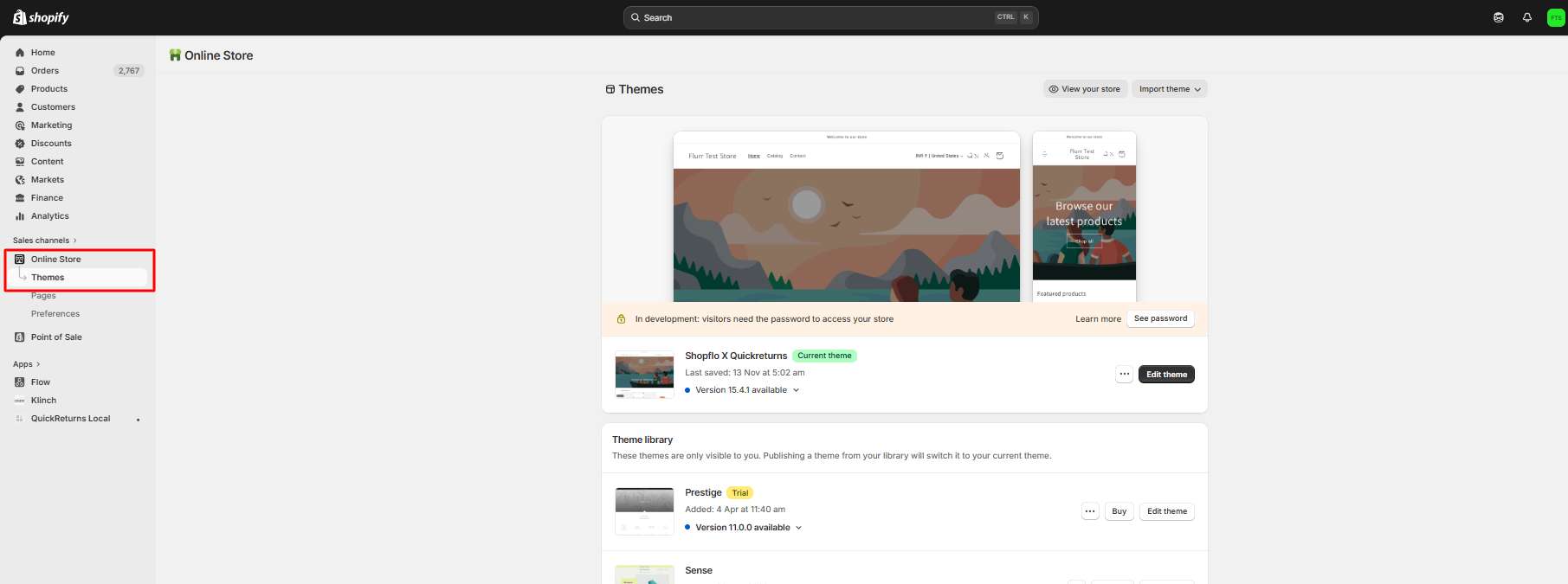
Step 3: Open the Theme Editor
Click the Customize button on your active theme to open the theme editor.
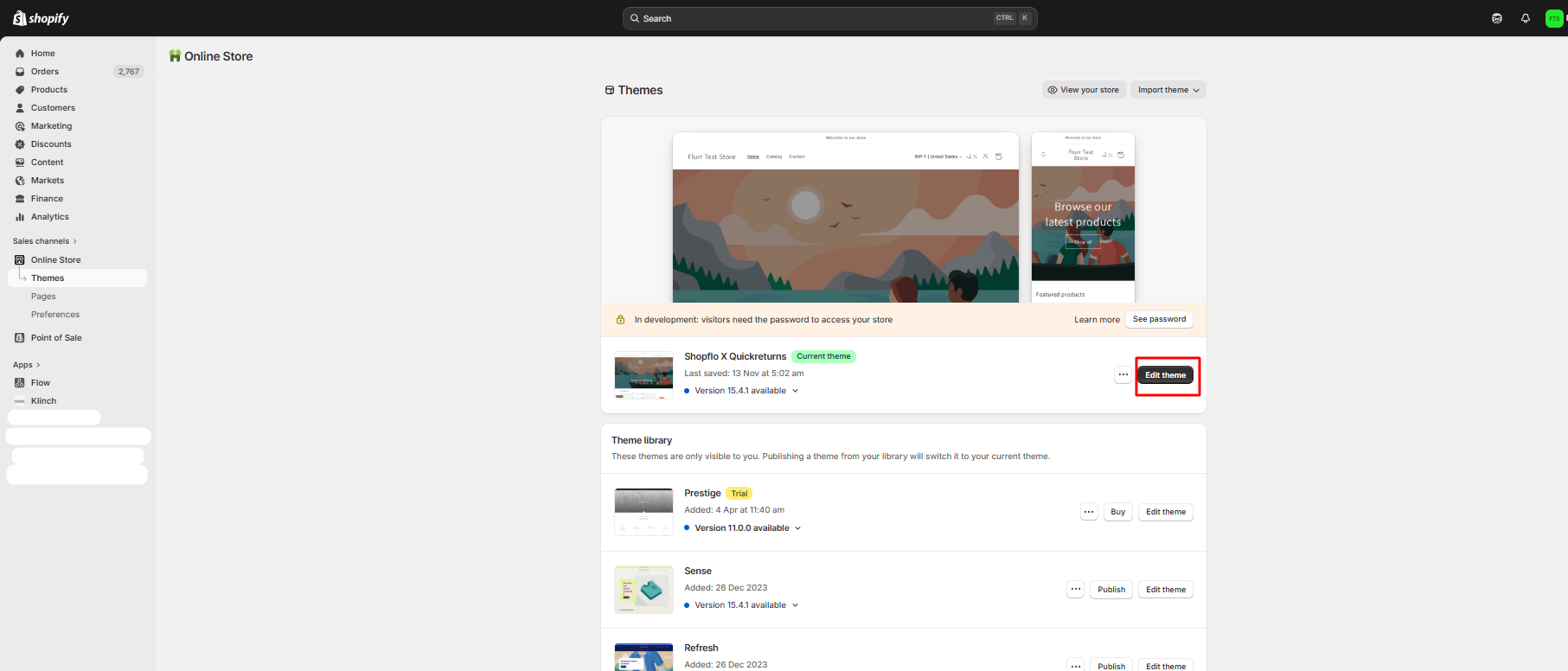
Step 4: Open Customer Account Pages
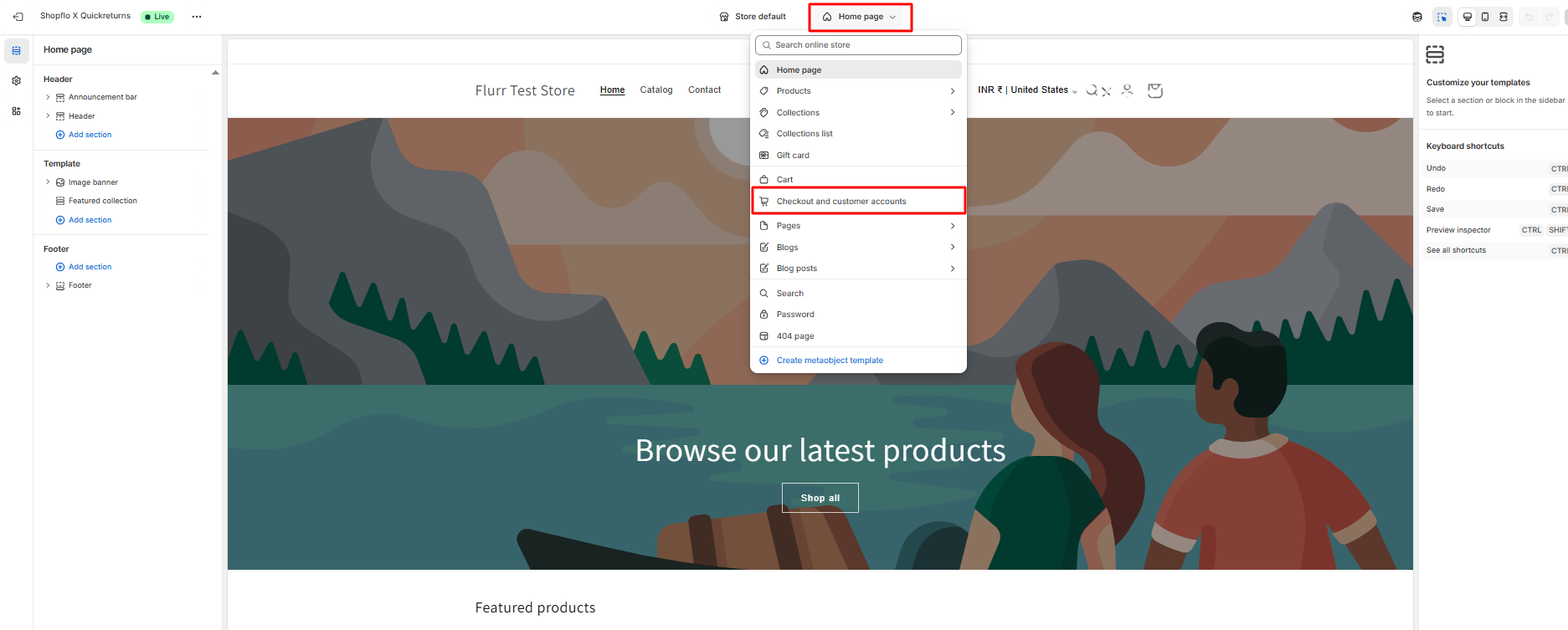
At the top of the theme editor:
- Click the Home Page dropdown in the header
- From the dropdown menu, select Checkout and Customer Accounts
This will switch the editor to the pages where customers manage their orders.
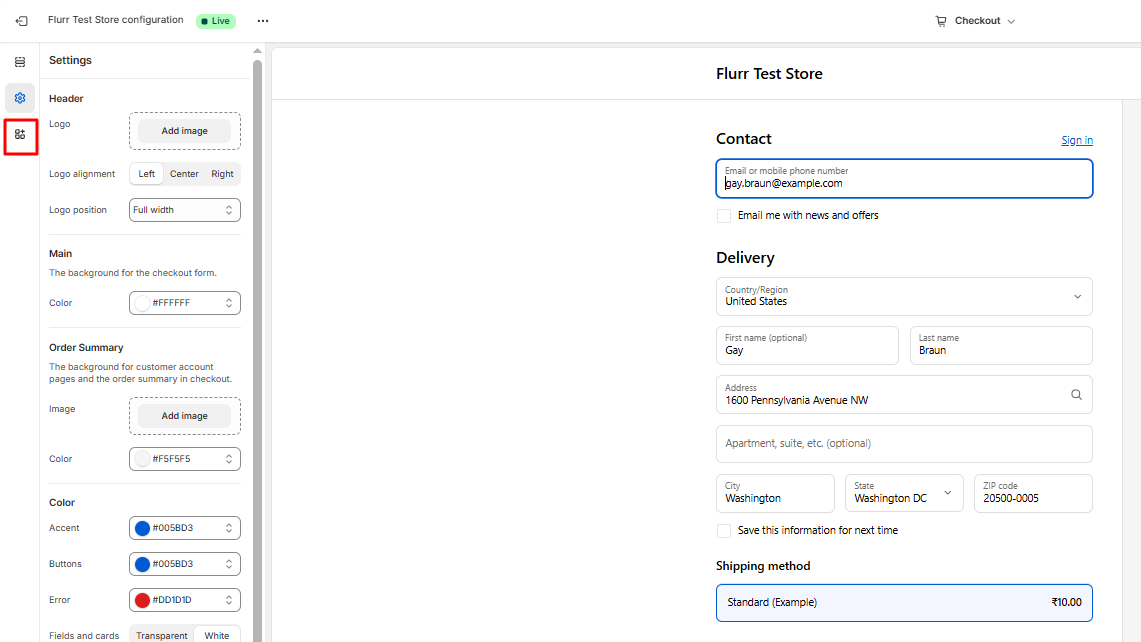
Step 5: Open the Apps Section
From the left-side panel, scroll down and click Apps.This section allows you to add app blocks from installed apps.
Step 6: Add the QuickReturns Return Button
- Locate QuickReturns – Return/Exchange
- Find Order Return Button
Click the + (Plus) icon to add it to the page
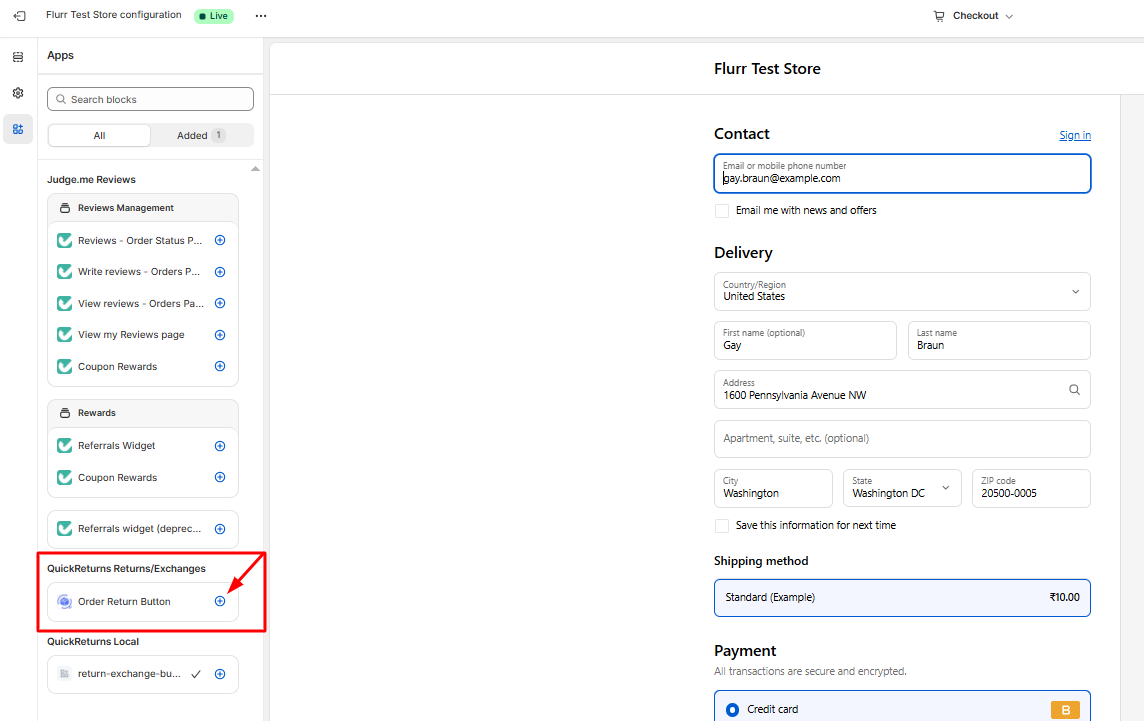
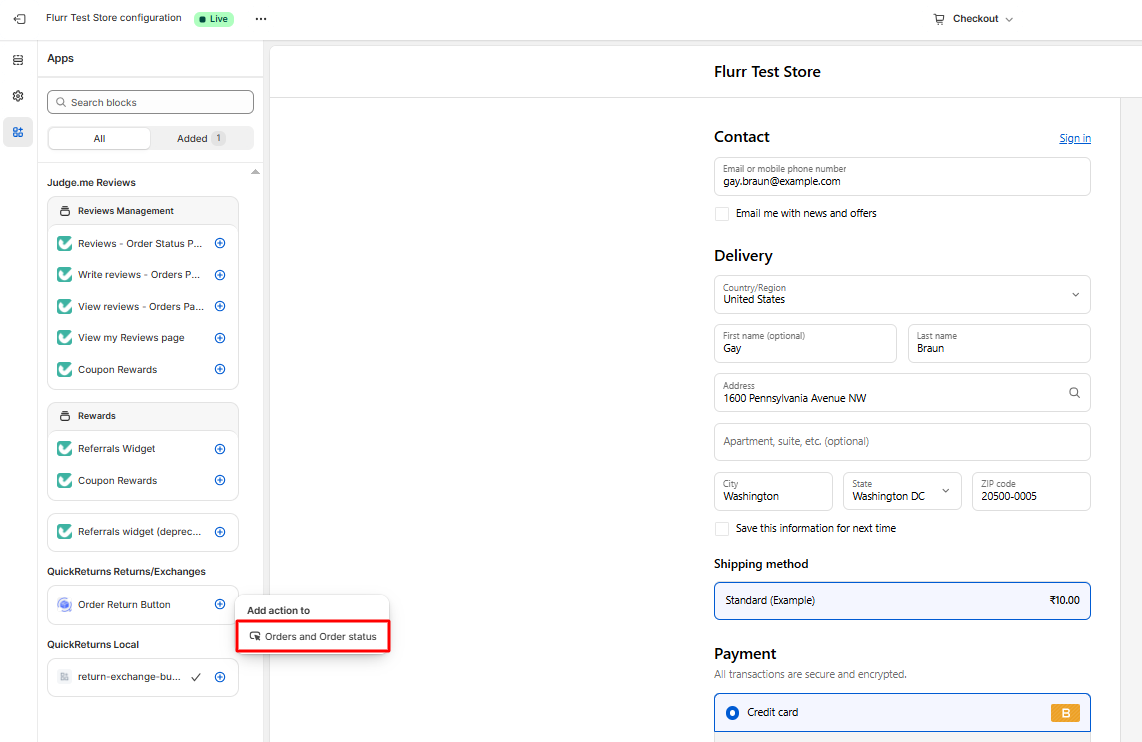
Step 7: Choose the Order Page Location
Under Add Action, click: Order and Order Status
This ensures the button appears on customer order pages.
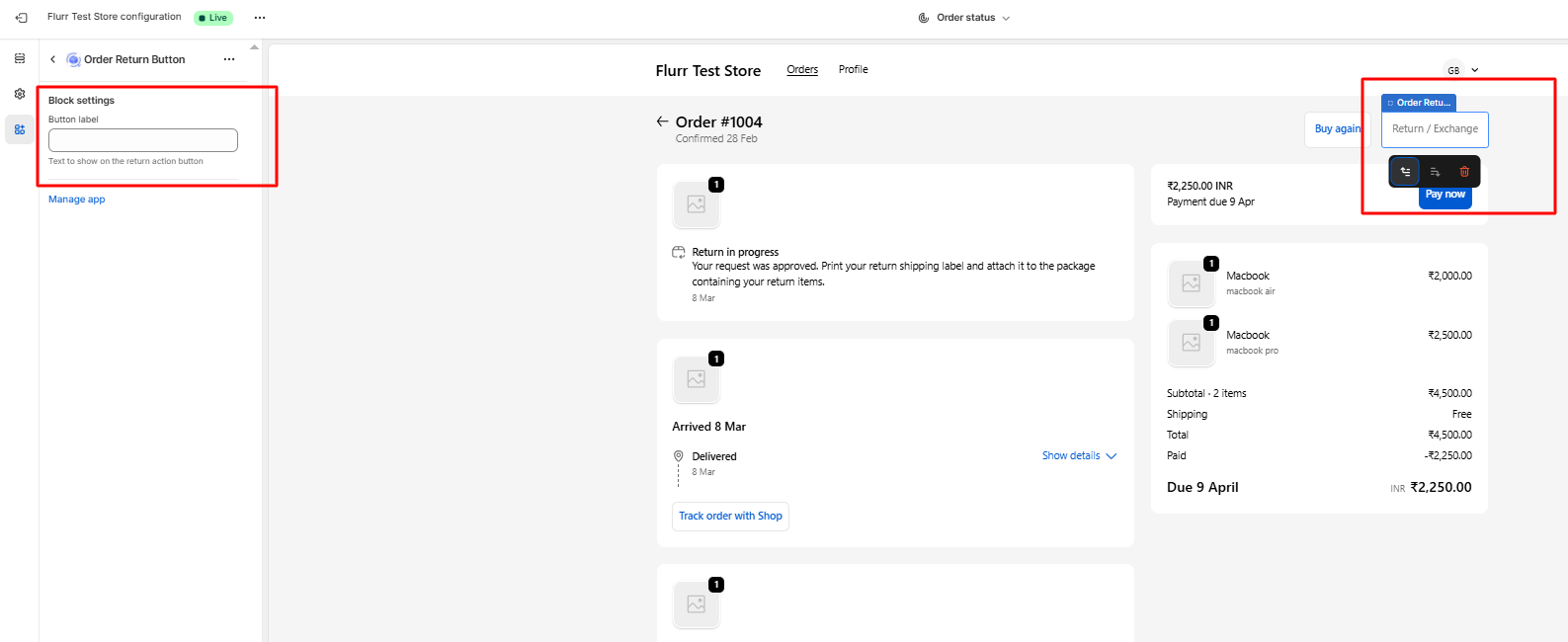
Step 8: Customize the Button Name
A configuration field will appear.
Enter the name you want customers to see, such as:
- Return / Exchange
- Start a Return
Request Return
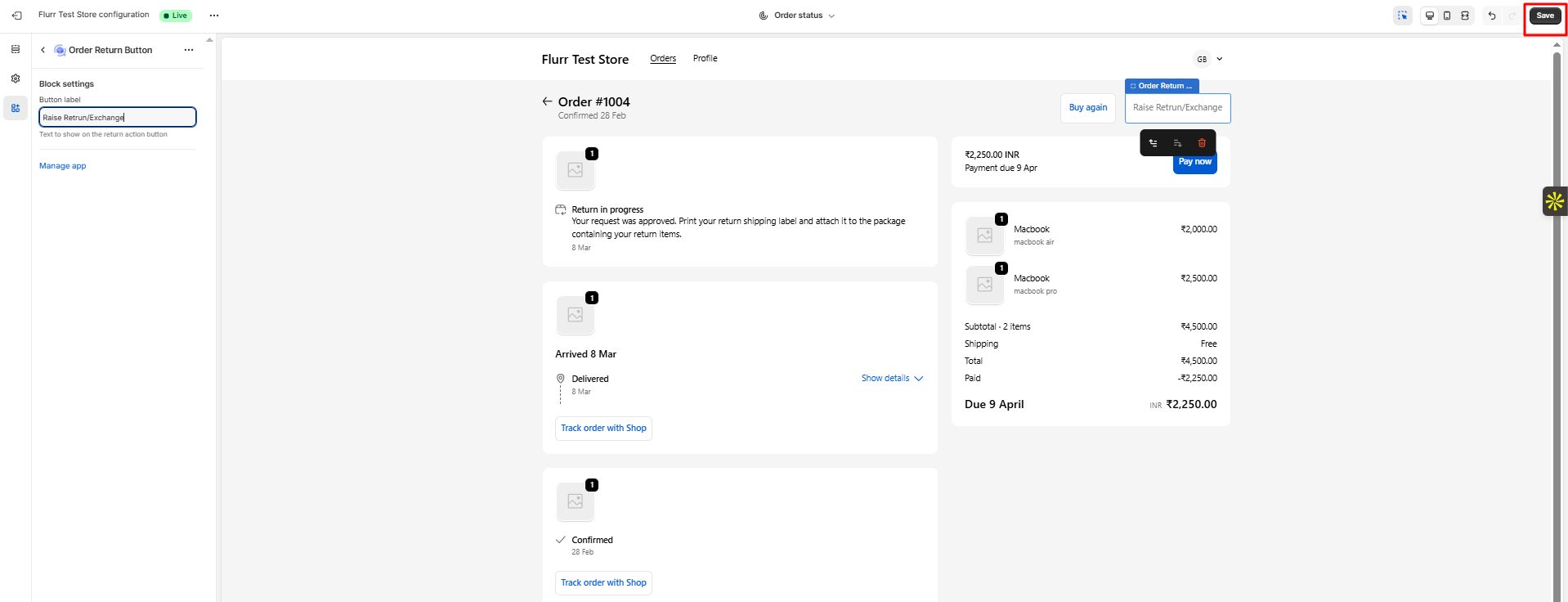
Step 9: Save Your Changes
Click the Save button in the top-right corner of the theme editor.
Once saved, the Return / Exchange button will appear on the customer’s order page, allowing customers to start a return request directly from their order history.
Result
After completing these steps:
- Customers log in to their account
- Navigate to Order History
- Click Return / Exchange
- Submit their return request through QuickReturns
This creates a simple, self-serve return experience for customers.