
This guide will walk you through the simple steps required to connect ShipFast with QuickReturns.
By completing this integration, you’ll be able to generate reverse shipment AWBs, track pickups in real time, without switching between multiple portals.
Steps to follow:
Step 1: Log in to your QuickReturns Portal.
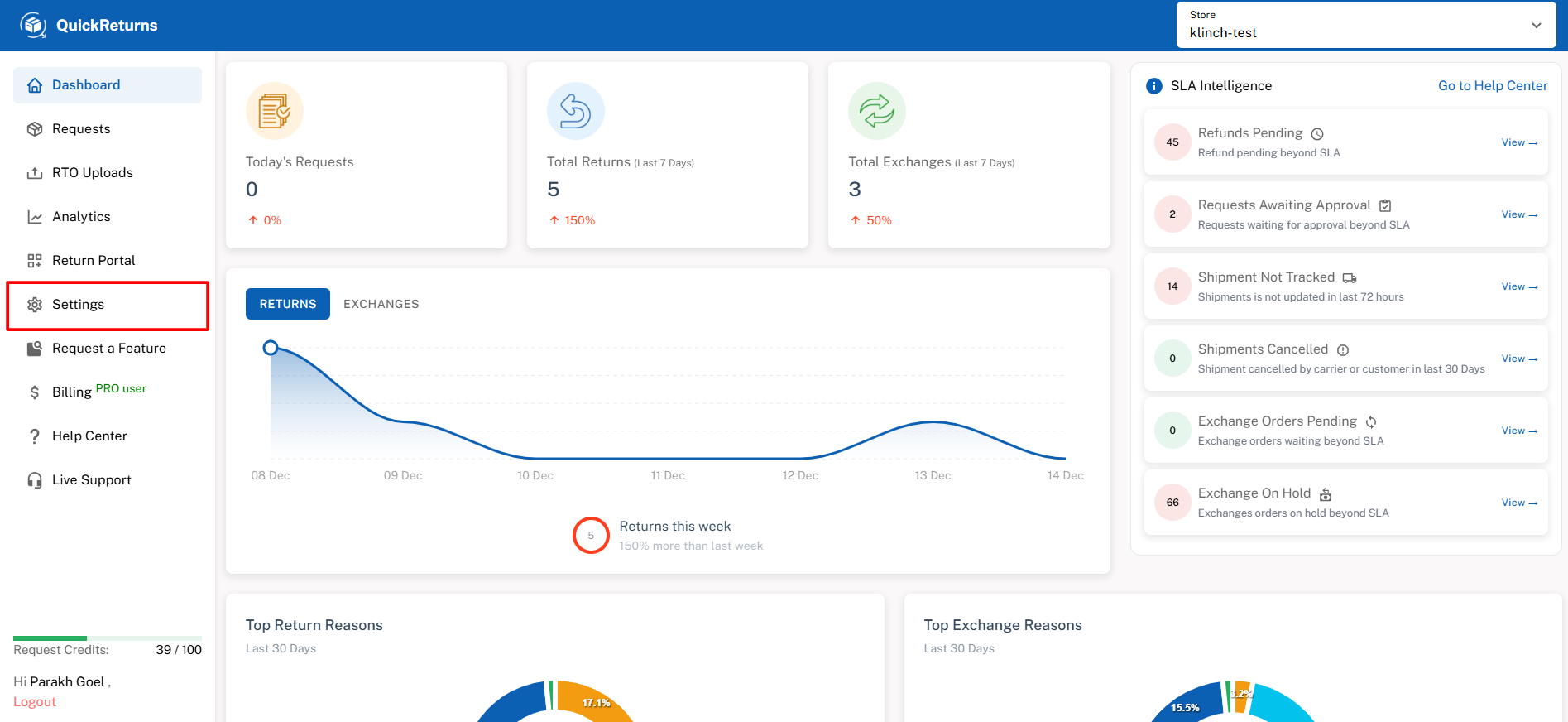
Step 2: From the side menu, go to Settings.
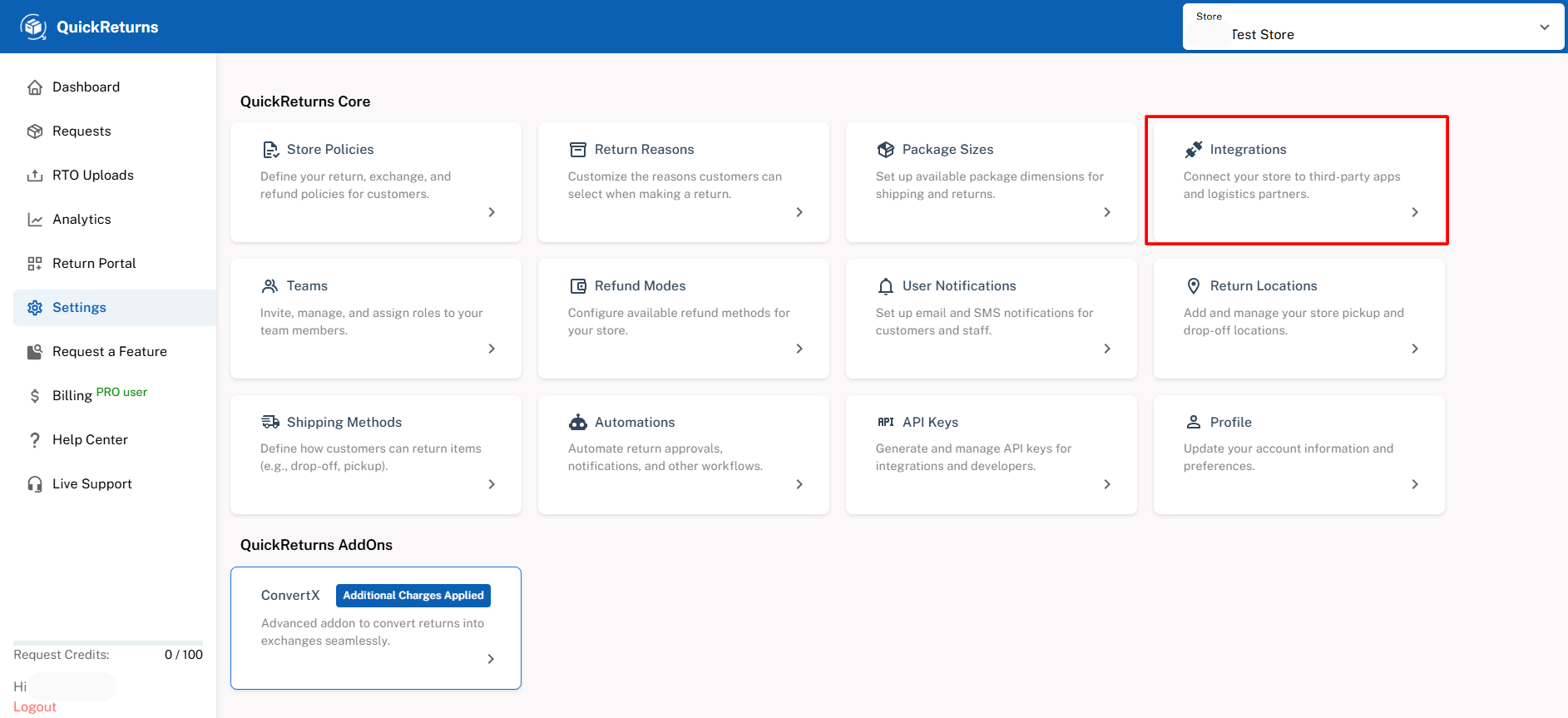
Step 3: Click on Integrations.
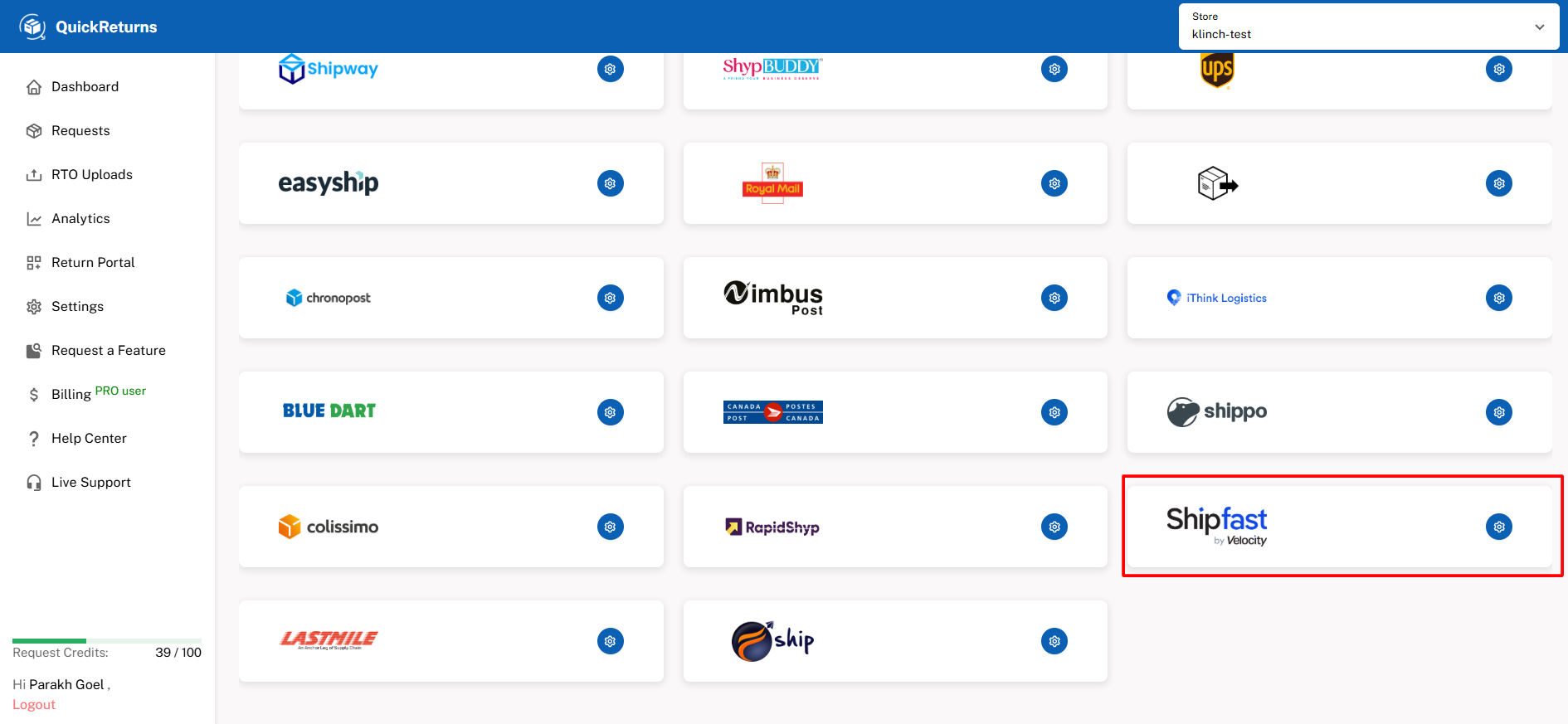
Step 4: Scroll down to the Logistics Partners section. Locate ShipFast and click the Settings (⚙️) icon next to it.
Step 5: Paste the API Key and Secret Key generated from the RapidShyp portal and Click Save.
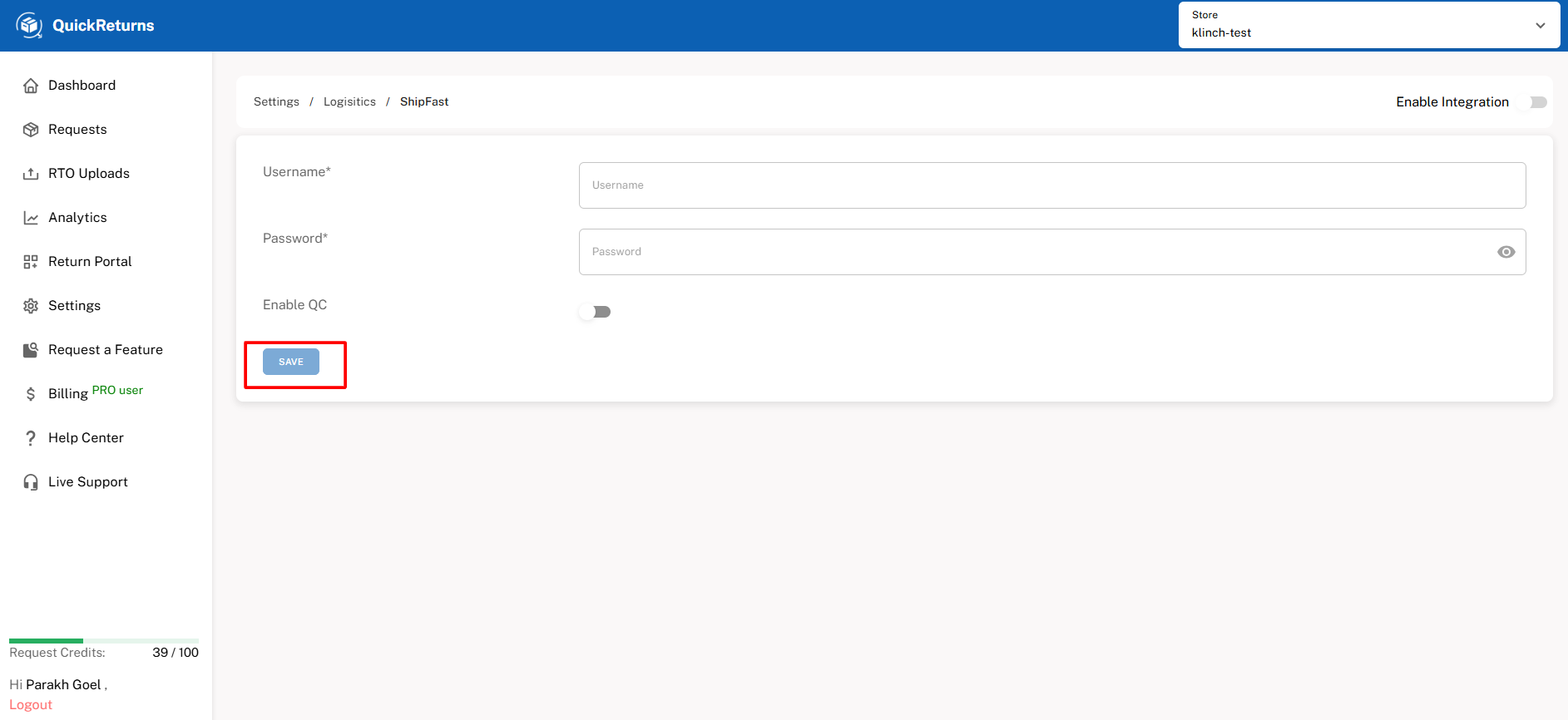
Step 6: Once done, turn the “enable integration” toggle on.
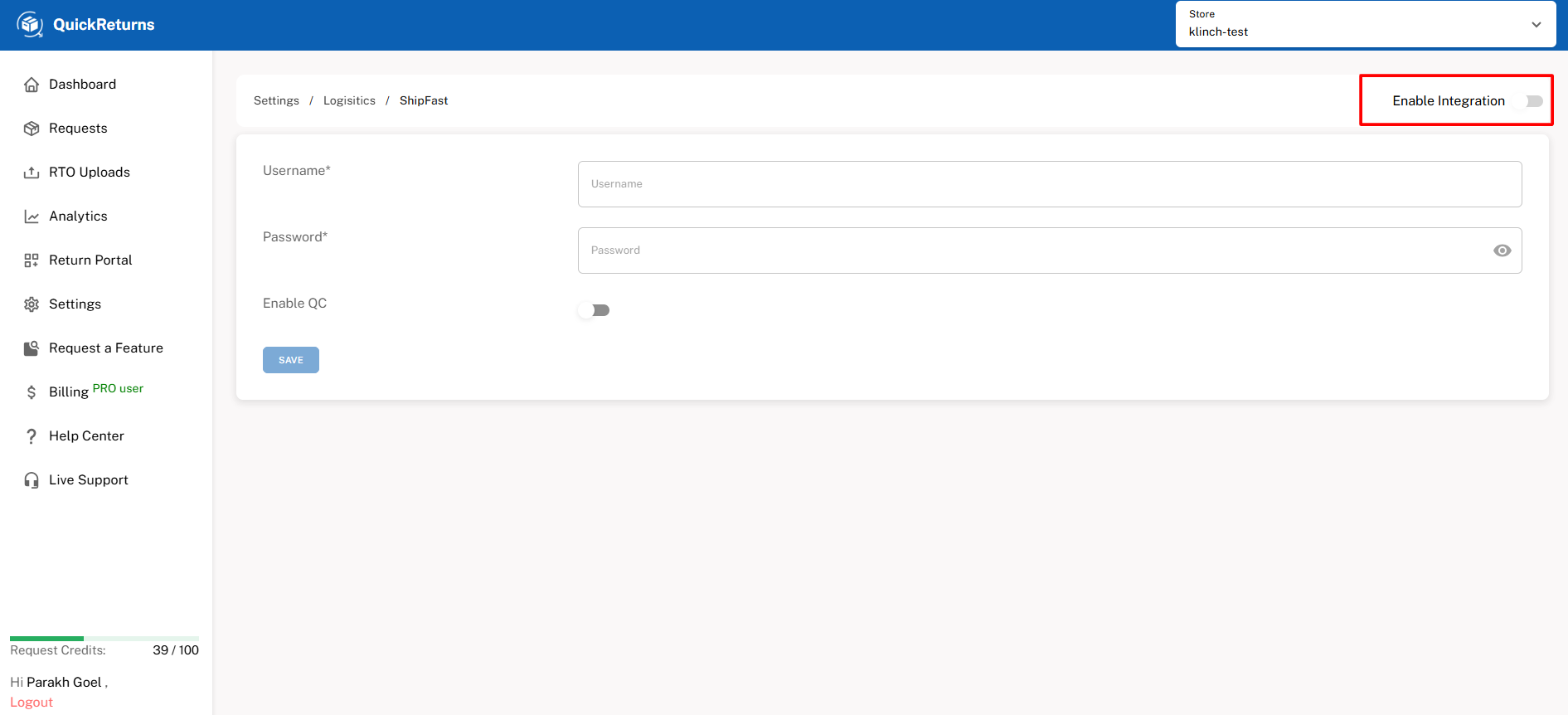
Integration Complete: ShipFast is now successfully connected with QuickReturns. You can now:
- Generate reverse shipment AWBs directly from QuickReturns
- Track reverse pickups and shipment status in real time
- Automate reverse logistics without switching portals
If you need any assistance during setup, feel free to reach out to the QuickReturns support team at support@quickreturns.ai