
Shadowfax is a leading logistics and delivery service provider in India, specializing in e-commerce and hyperlocal deliveries
Required Information for Integration
To integrate Shadowfax with QuickReturns, ensure you have the following details:
- A Shadowfax Business Account
- Your API Token
- Your GSTIN Number
Steps to Link Shadowfax with QuickReturns
- Log in to your QuickReturns Dashboard.
Navigate to "Settings" from the left side menu.
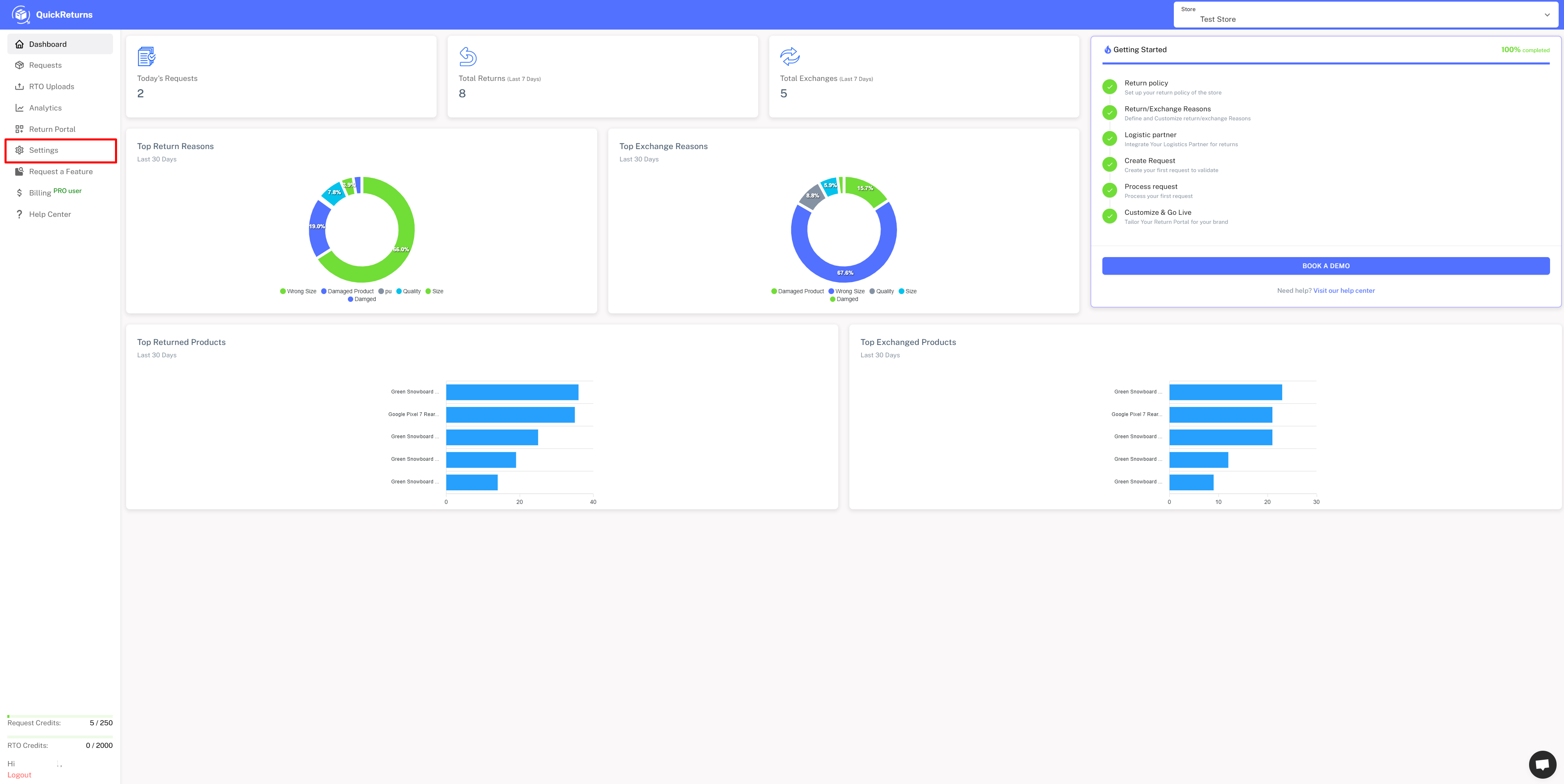
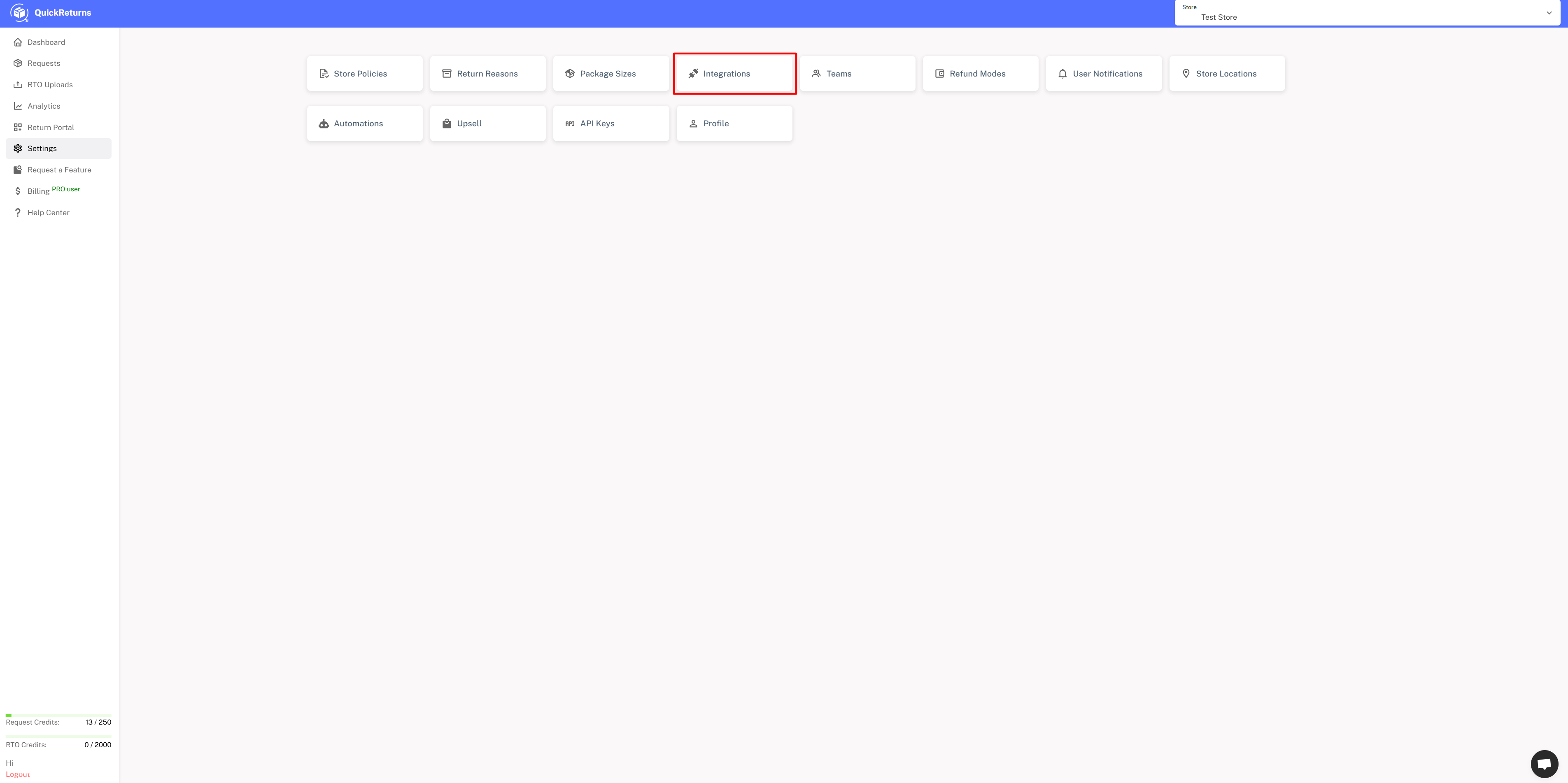
Click on “Integrations.”
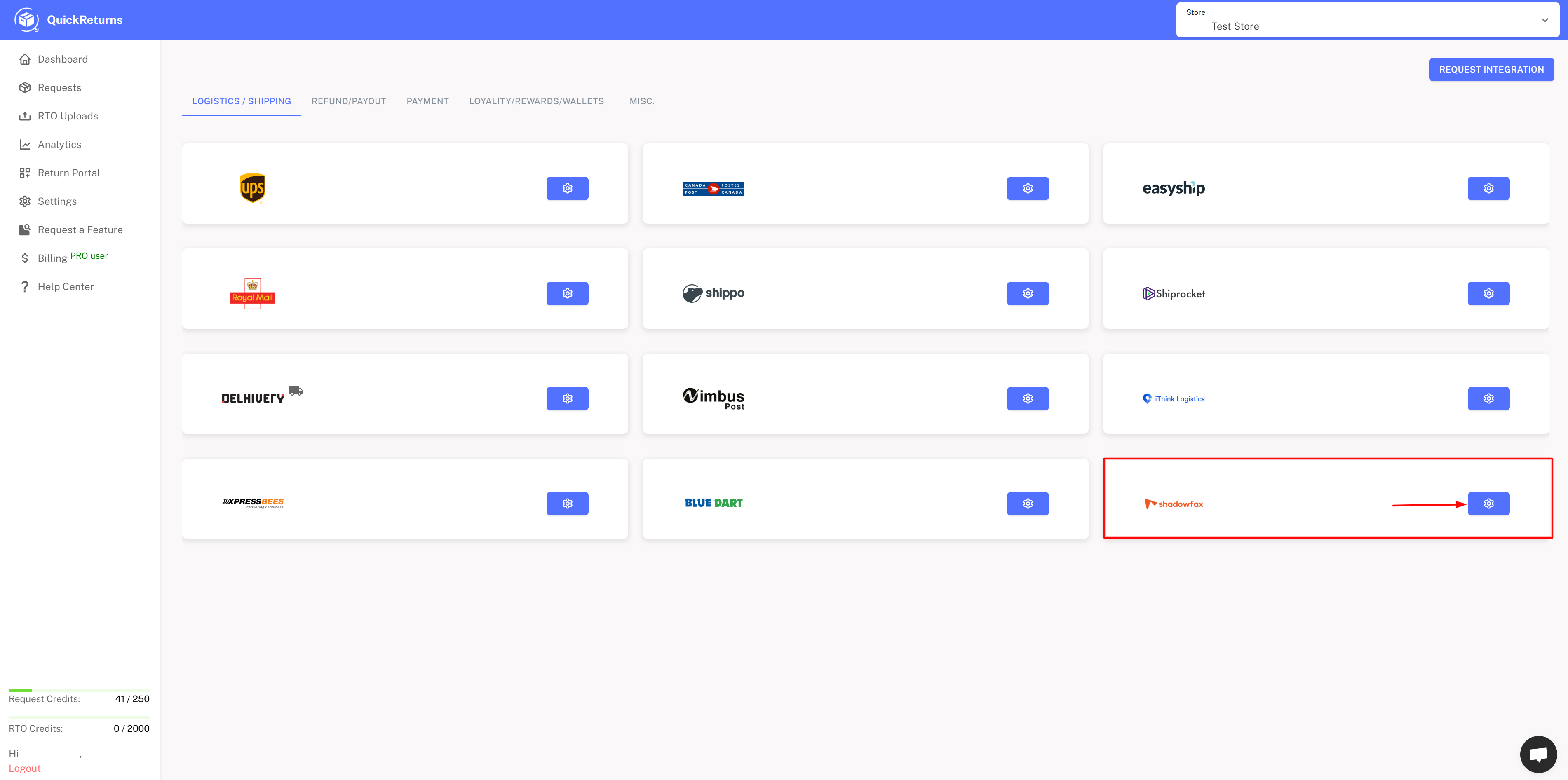
Locate "Shadowfax" in the integration list and click the settings icon next to it.
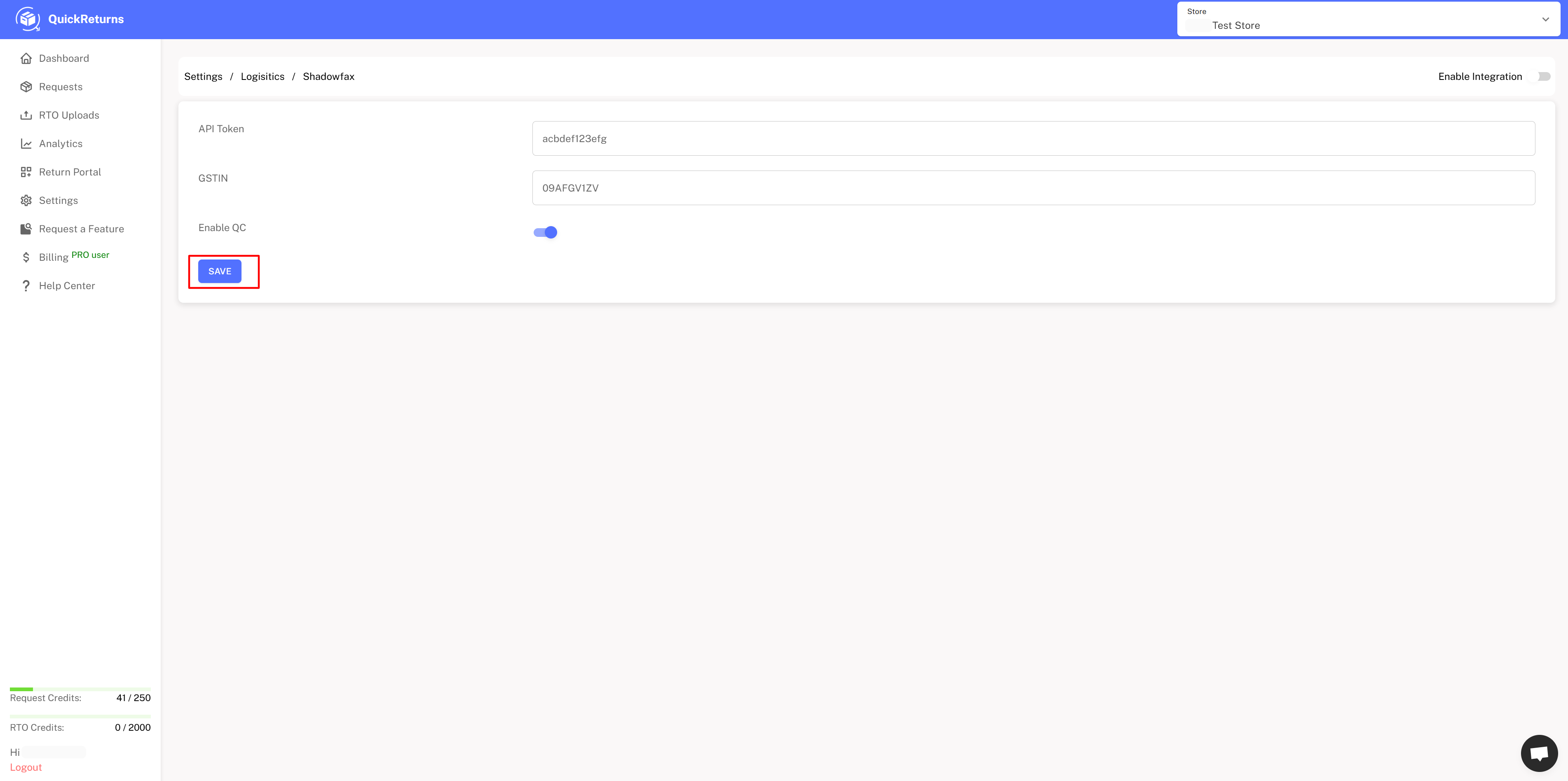
Enter your Shadowfax credentials ( API Token, GSTIN, and enable the QC (if you want)) in the required fields.
To get the API Token, log in to Shadowfax dashboard and generate APIs for Live view
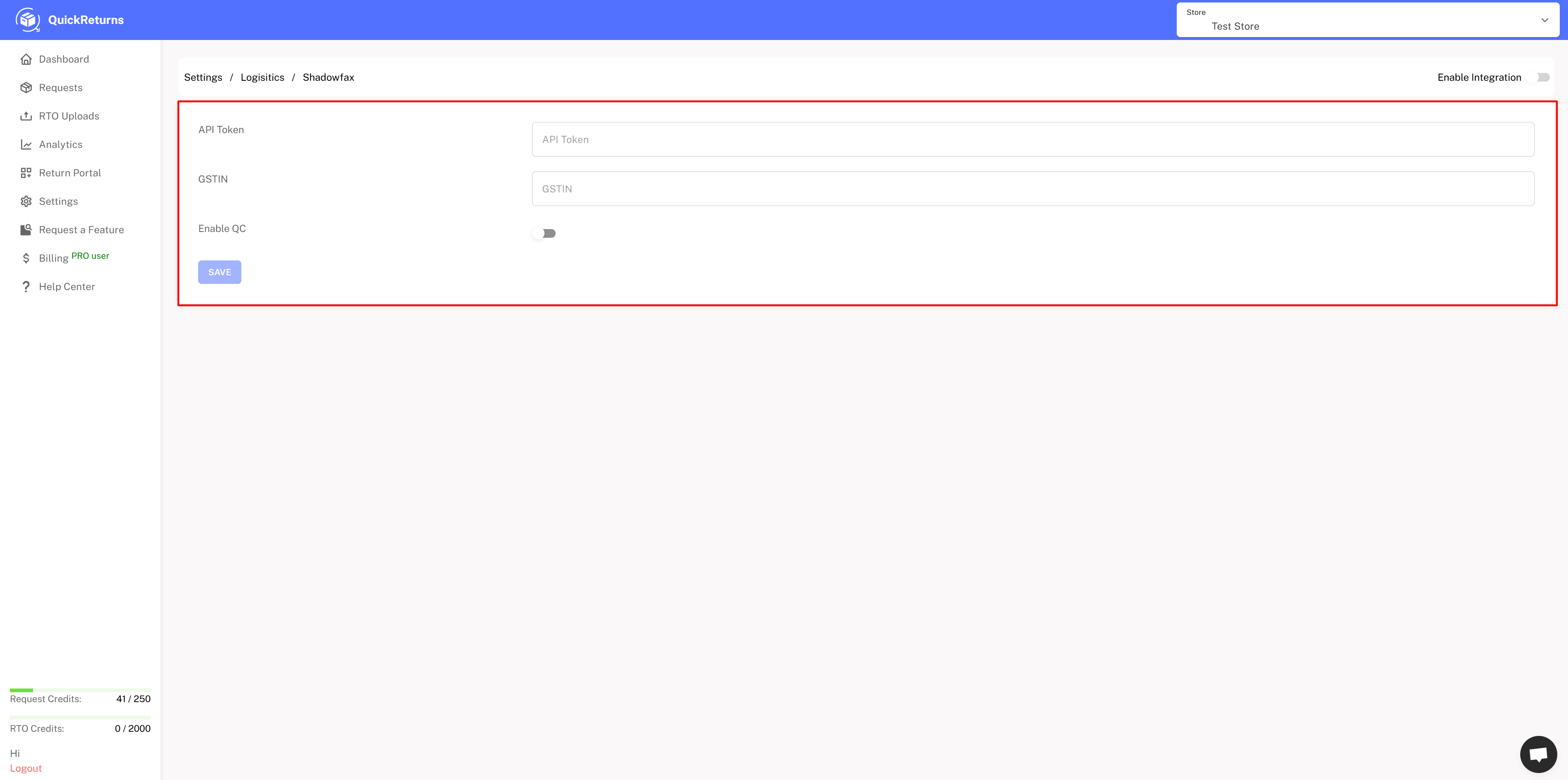
Click “Save” to complete the setup.
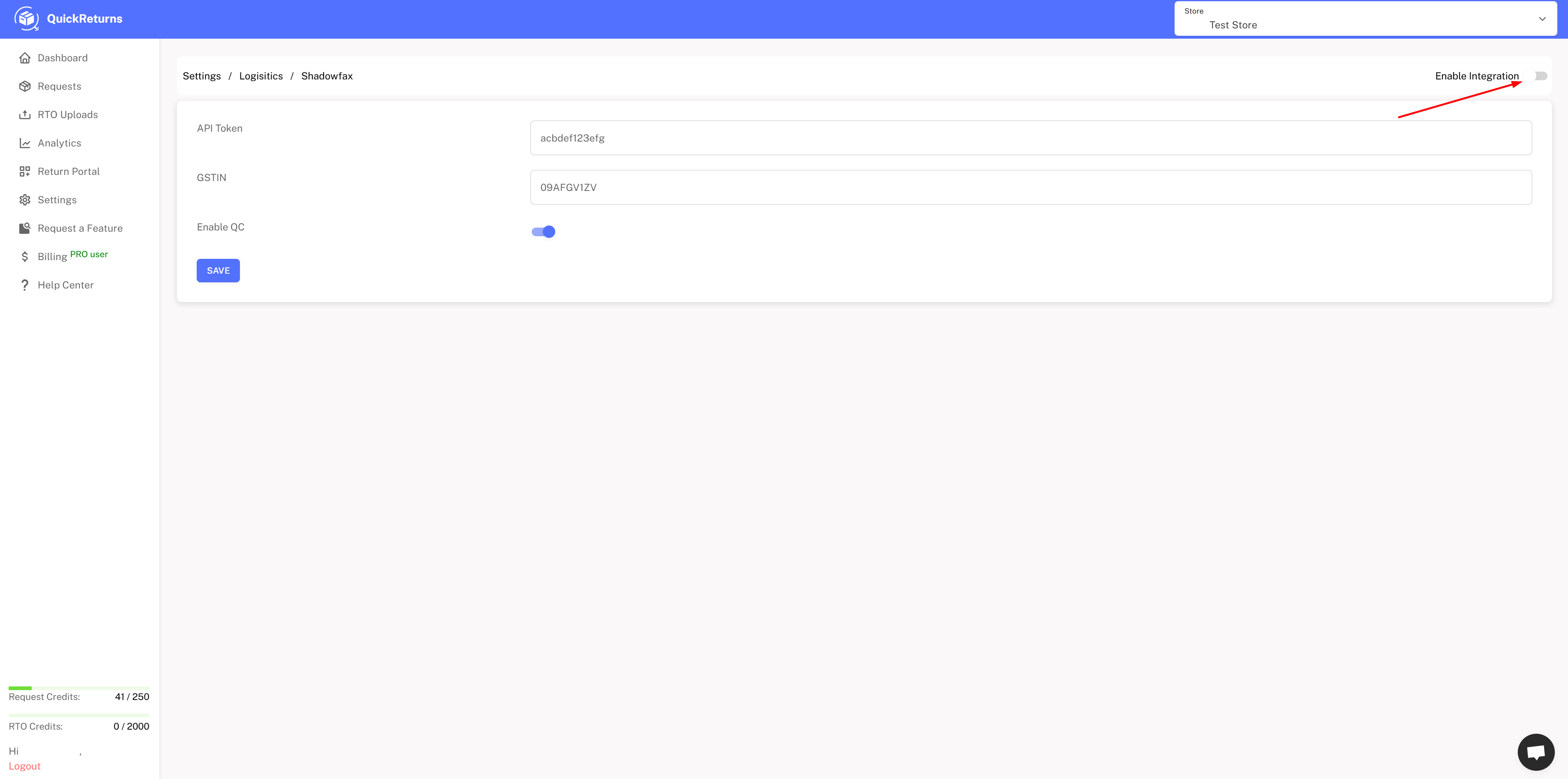
Click the “Enable” toggle button to activate the integration.
- Once completed, your QuickReturns will be integrated with Shadowfax, allowing you to generate reverse pickups directly from QuickReturns.